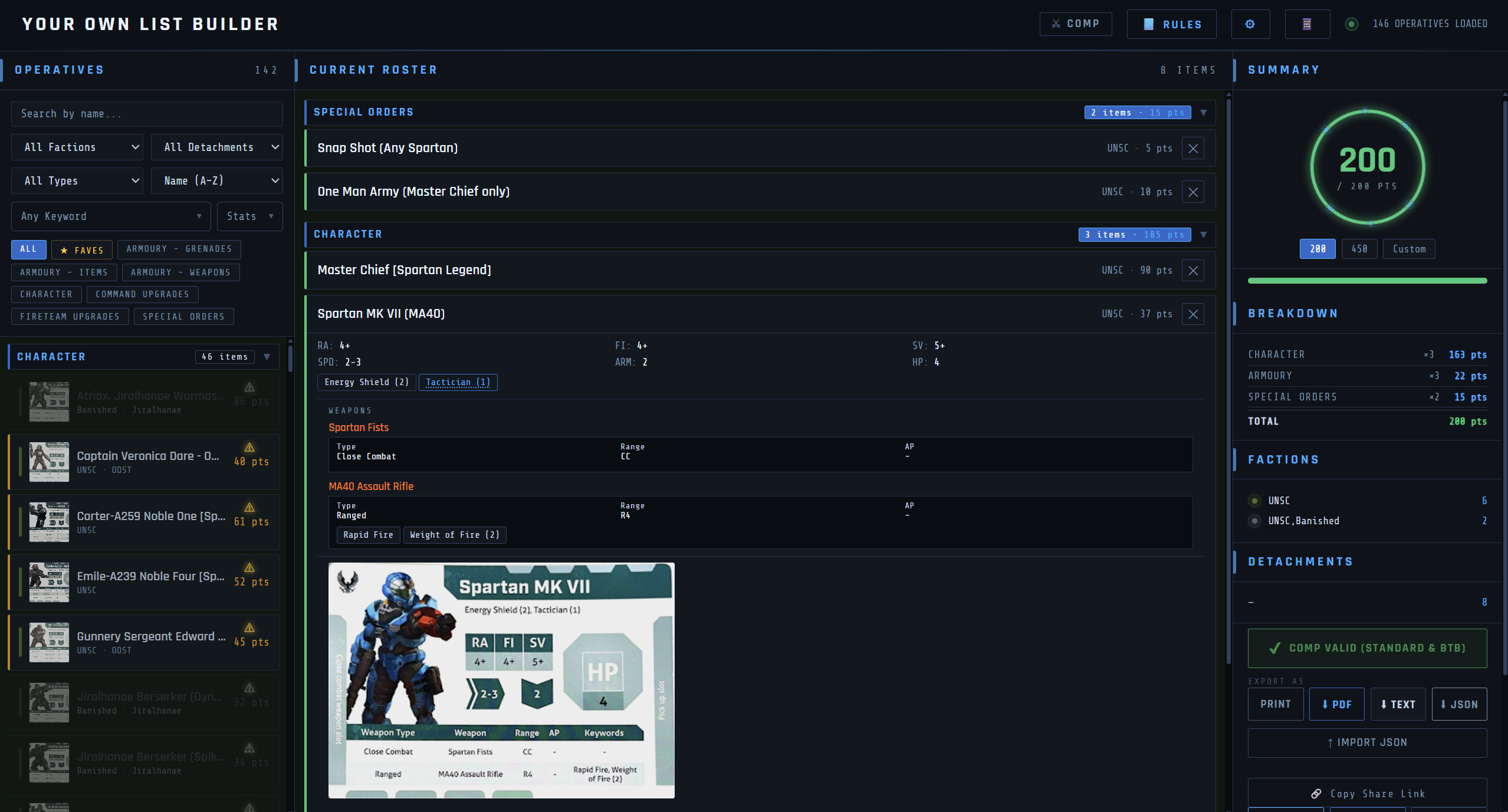
Free, no subscription, no account. Connect your own Google Sheet, keep full control of your data, and build lists exactly the way you want.
A quick walkthrough of what the app looks like and how the setup works, before you read anything else.
Mantic's official app is genuinely good if you're running ranked events and need Global Rankings. But if you just play casually — a game here, a game there, no events — a recurring subscription for an army list is harder to justify. This is built for that second kind of player.
| Mantic Official App | This List Builder | |
|---|---|---|
| Cost | $2.99/mo App subscription or Free version (Limited features) | Free - donations welcome, never required |
| Platforms | Mobile & desktop browser | Mobile & desktop browser |
| Data ownership | Stored on Mantic's servers | Your own Google Sheet — you own it completely |
| Global Rankings / ranked events | Yes (Paid subscription) | Not included |
| Keyword definitions | Tap to open a separate detail screen (Paid subscription) | Inline hover — definitions appear in place without leaving your list |
| Weapon assignment | Items added to a flat roster list | Weapons and items attach directly to a specific character, with rules enforced at the point of assignment |
| Advanced search & filtering | Basic search | Filter by keyword, by stat threshold, by weapon stat — combinable |
| Favourites system | Not available | Star any card; filter the browse list to starred entries only |
| Custom unit photos | Official art only | Upload a photo of your own painted miniature — it replaces the card art in portrait mode |
| UI colour customisation | Fixed theme | Fully customisable — global colours and per-faction accent colours |
| Language support | English only | English & French included; add any language via your Sheet |
| Custom house rules / point limits | Fixed formats only | Fully custom ruleset builder, shareable with friends |
| Quick Rules | Search through all rules by text (Some rules are under Paid subscription) | Search via Google Drive's PDF viewport, per document |
| Setup required | None — just log in | ~20 minutes, one time - copy a Sheet and connect it |
I host the app itself. Everything it reads and writes stays with you — your Sheet, your Google account, your browser. None of it passes through me.
Free, and you copy it in one click. This is your card database — every character, weapon, and rule lives here, editable by you at any time. It stays in your own Drive.
A small free Google service that connects your Sheet to the app. It's included in the Sheet - you just deploy it. Runs under your own Google account, and nobody else touches it.
Your Sheet lives in your Drive. Your Apps Script runs under your Google account. The connection details you type in are saved only in your own browser so you don't have to retype them — they're never sent to me, never stored on any server I run, and I have no way to see them or reach your data. There's no account and no login, so there's nothing for me to hold.